
Preeti to Unicode Converter
If you’ve ever copied Preeti font (प्रीति) text into a website and watched it break, you’re not alone. This converter exists for one clear reason: to turn legacy Preeti text into clean, readable Nepali Unicode that works everywhere—WordPress, Google Docs, WhatsApp, and official government forms.
The process is simple. Paste your Preeti text, click Convert Now, and copy the Unicode output. No hidden options. No confusing settings. The tool maps Preeti glyphs to their correct Unicode equivalents so your words display as intended in modern platforms.
Why Preeti to Unicode Conversion Is Still Necessary Today
The Problem with Preeti Font in Modern Digital Platforms
Preeti was never designed for the web. It’s a legacy font that relies on visual glyphs, not standardized characters. That’s why text typed in Preeti looks fine on one computer and turns into symbols or boxes on another.
The moment you move that text online—into a CMS, email, or mobile app—the cracks show. Search engines can’t read it properly. Screen readers struggle. Copy-paste breaks spacing and matras. What looks “okay” on your screen isn’t actually usable text underneath.
Why Unicode Is Required for Websites, Mobile Apps, and Government Forms
Unicode is the global standard for writing systems, including Nepali (नेपाली युनिकोड). It stores characters, not shapes. That single difference is why Unicode text works consistently across devices, browsers, and operating systems.
Government portals, online forms, and official records now expect Unicode input. So do social platforms and publishing tools. Without conversion, Preeti text becomes a barrier—especially when accuracy and readability matter.
Common Situations Where Preeti Text Fails
You’ll usually notice the problem in practical moments, not theory:
- Uploading content to WordPress and seeing scrambled characters
- Pasting old Preeti documents into Google Docs
- Sharing Nepali text on WhatsApp or Facebook
- Submitting data to Nepal government forms
- Archiving newspapers or office records digitally
How to Use the Preeti to Unicode Converter
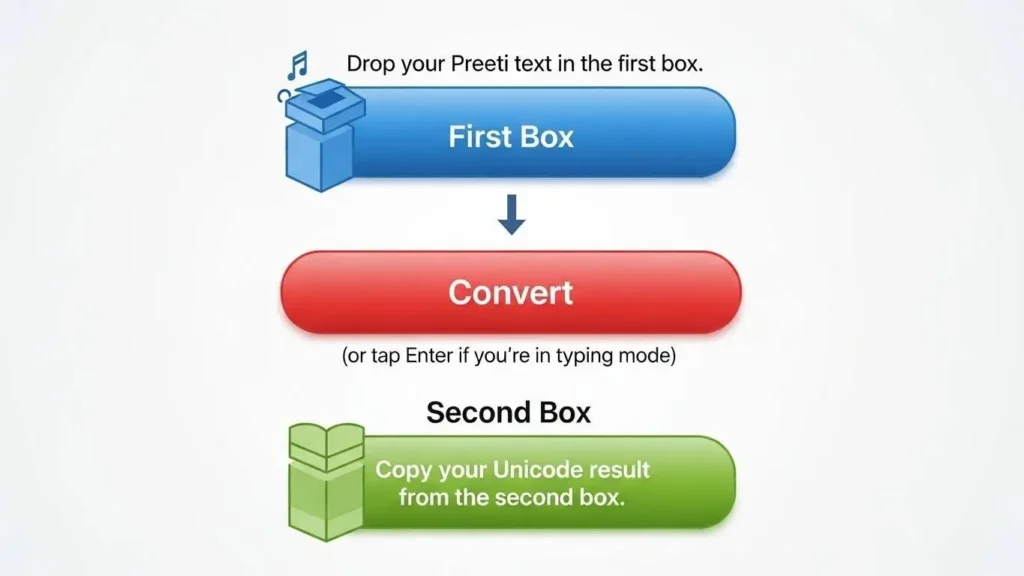
Paste Your Preeti Font Text
Copy your Preeti text from Word, PDF, or any editor. Paste it into the left input box labeled “Paste Preeti text here (प्रीति)”. For best results, paste plain text only.
Convert and Review the Unicode Output
Click Convert Now. The Unicode output appears on the right. Take a quick look to confirm matras and conjuncts appear correctly. Most text converts cleanly on the first pass.
Copy and Use Unicode Anywhere Online
Click Copy Unicode and paste the result into your destination—WordPress, Google Docs, email, or forms. The text will display correctly across devices.
Preeti Text Input and Unicode Output
Preeti Font Text Box
This box accepts legacy Preeti font text. It’s optimized for common Preeti layouts used in offices, schools, and local publications. Placeholder text reminds you to paste plain text to avoid hidden formatting.
Converted Nepali Unicode Text Box
The output box shows clean Nepali Unicode (नेपाली युनिकोड). This text is ready for web publishing, sharing, and long-term storage. Copy it directly or download as a .txt file if needed.
Examples of Preeti to Unicode Conversion
Common Words and Sentences Converted from Preeti
Here are a few everyday examples you’ll recognize from letters, notices, and articles.
Preeti:  g]kfnL efiff
Unicode: नेपाली भाषा
Preeti:  g]kfn dfly
Unicode: नेपाल माथि
Preeti:  ;Dk'0f{ cfjZof
Unicode: सम्पूर्ण आवश्यकता
Preeti:  sfof{no
Unicode: कार्यालय
Before and After Conversion Comparison
Seeing both sides helps you verify accuracy quickly.
Before (Preeti):
hfdL g]kfnL sfudL dfly gfp

After (Unicode):
हामी नेपाली कागजमा माथि गयौं
If a line looks off, reconvert just that line. Minor spacing issues are usually fixed by removing extra spaces before converting again.
Accuracy, Compatibility, and Language Integrity
Does Conversion Affect Meaning or Grammar?
A proper Preeti to Unicode conversion preserves meaning. The tool doesn’t “rewrite” your text. It maps each Preeti character to its Unicode equivalent, keeping words, grammar, and sentence structure intact.
That said, heavily formatted documents or mixed fonts may need a quick manual check. It’s a matter of cleanup, not lost meaning.
Handling of Matras, Conjuncts, and Nepali Characters
Nepali relies on matras and conjuncts to convey sound correctly. The converter handles common combinations automatically, including half-letters and संयुक्त अक्षर.
Rare edge cases can appear in older documents with inconsistent typing habits. When they do, the fix is usually simple—retype a single character in Unicode.
Unicode Compatibility with WordPress, Google Docs, and Mobile
Once converted, the text works everywhere Unicode is supported—which is almost everywhere today. WordPress reads it cleanly. Google Docs preserves spacing. Mobile apps display it without font dependencies.
This is the biggest practical win: write once, share anywhere.
What Is Preeti Font and Why It Was Widely Used
History of Preeti Font in Nepali Typing
Before Unicode became common, Preeti was the go-to solution for Nepali typing. It filled a real gap at the time. Schools, offices, and newspapers adopted it quickly because it “looked right” on paper.
For years, entire archives were built in Preeti. That history explains why so much content still exists in this format today.
Limitations of Preeti in the Unicode Era
Preeti’s strength—visual simplicity—is also its weakness now. It isn’t searchable. It doesn’t scale across platforms. And it depends on specific fonts being installed.
Unicode solved those problems. The challenge today isn’t choosing between them; it’s converting the past so it works in the present.
What Is Nepali Unicode and Why It Matters
Unicode as the Global Standard for Nepali Language
Unicode assigns a unique code to every character. For Nepali, that means consistent representation of Devanagari across systems. A Unicode “क” is the same everywhere, regardless of font.
This standardization is why Unicode text is readable, searchable, and accessible.
Benefits of Using Unicode for SEO, Sharing, and Archiving
Unicode content is indexable by search engines. It’s readable by assistive technologies. It survives platform changes without breaking.
For publishers, it means better visibility. For institutions, it means reliable records. For everyday users, it simply means fewer headaches.
Frequently Asked Questions
Is this Preeti to Unicode converter free to use?
Yes. The converter is free for everyday use. There are no sign-ups, no limits for normal text, and no hidden steps.
Is any data saved or stored during conversion?
No. We do not store your text. Conversions happen in your browser, and the content disappears when you leave the page.
Does this tool work on mobile phones?
Yes. It works on modern mobile browsers. You can paste Preeti text from notes or messages and convert it the same way.
Can I convert large amounts of text at once?
You can convert long passages and full documents. For very large files, converting in sections helps you review accuracy more easily.
What should I do if some characters look incorrect?
Try removing extra spaces or line breaks and convert again. For mixed-font text, paste it into Notepad first to clean formatting, then reconvert.
Common Conversion Issues and How to Fix Them
Mixed Preeti and Unicode Text Problems
Sometimes a document contains both Preeti and Unicode. That mix confuses converters. The fix is simple: separate the Preeti text, convert it alone, then merge it back.
Font Display Issues After Conversion
If Unicode text looks wrong, the issue is usually the display font, not the conversion. Switch to a standard Nepali Unicode font like Mangal or Noto Sans Devanagari.
Copy-Paste Errors and Formatting Fixes
Hidden formatting can introduce odd spacing. Pasting through a plain-text editor removes that noise. It’s a small step that saves time.
Who This Preeti to Unicode Tool Is For
Students and Teachers
From assignments to research notes, students and teachers often deal with older Preeti materials. Converting them makes sharing and submitting work easier.
Office Staff and Data Entry Operators
Government offices and NGOs still handle legacy documents daily. Accurate conversion saves hours of retyping and reduces errors in official records.
Bloggers, Publishers, and Website Owners
If you publish Nepali content online, Unicode isn’t optional. Conversion ensures your content is readable, searchable, and future-proof.
Related Nepali Text Conversion Tools
Unicode to Preeti Converter
Need to work the other way around for print or legacy systems? Use the Unicode to Preeti converter for controlled backward compatibility.
Romanized Nepali to Unicode
For users who type Nepali in English letters, a Romanized Nepali to Unicode tool speeds up writing without memorizing layouts.
Other Nepali Font Utilities
From text cleaners to font checkers, related utilities help maintain consistency across projects and teams.
About PreetiToUnicode.co
Our Goal: Simple, Reliable Nepali Text Conversion
This site is maintained by Rajan Thapa, a Nepali language tools developer with over 15 years of hands-on experience in text processing and localization. The goal is practical: tools that solve real problems without noise.
Commitment to Accuracy and User Privacy
We focus on high conversion accuracy for common Preeti usage patterns. Rare manual fixes may be needed for heavily formatted files. We do not store your text—processing happens locally in your browser.
About the Author

Rajan Thapa (Unicode, Fonts & Typing Tools Expert)
Rajan Thapa is a digital tools specialist known for helping users easily convert scripts like Preeti to Unicode. His guides and explanations are crafted to make typing, converting, and understanding Nepali text smoother and faster.
Feedback and Suggestions
Help Us Improve This Converter
If you notice a pattern that needs improvement or have a suggestion, share it. Real-world feedback helps refine accuracy and usability for everyone who depends on this tool.